


IP addresses are essential for devices to communicate over the internet, serving as unique identifiers for each device on a network. However, you might ask, Can you change your IP address?
This is a common question among users who experience connectivity issues or want to maintain their privacy online. While changing an IP address is possible, it’s essential to understand the various types of IP addresses and the methods for modifying them.
In this article, we’ll explore the process of changing your IP address, the reasons why you might need to do so, and the various techniques for accomplishing it. We’ll also discuss everyday situations where changing your IP address could be beneficial and how it impacts your online experience. By the end, you’ll have a thorough understanding of how IP addresses work and how to change yours safely and effectively.
Can you change your IP address?
Yes, you can change your IP address by restarting your router, using a VPN, or connecting to a different network. Your IP address is assigned by your Internet Service Provider (ISP), and although it changes periodically for dynamic IPs, you can manually change it using the methods above. A VPN can mask your IP address and assign you a new one, thereby enhancing your online privacy and security.
The Importance of Your IP Address in Networking
An IP address, or Internet Protocol address, is a unique identifier assigned to every device connected to a network, enabling devices to locate and communicate with each other across the Internet. Think of it as your device’s digital address, essential for sending and receiving data between devices. There are two primary types of IP addresses: IPv4, the older version, and IPv6, which is newer and offers a much larger address space to accommodate the growing number of internet-connected devices.
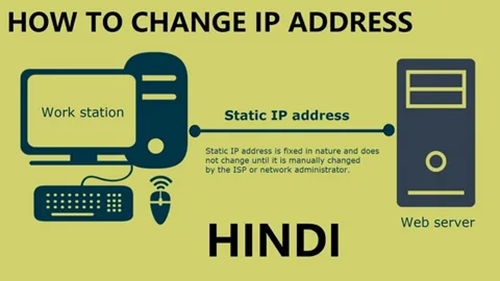
Devices are typically assigned dynamic IP addresses, which change periodically to enhance security and privacy. However, static IP addresses, which remain fixed, are often used by businesses or users who need a constant connection, such as for hosting websites. Static IP addresses are more challenging to change, as they require coordination with the ISP, while dynamic IP addresses are much easier to alter.
There are several reasons why you might need to change your IP address. For instance, if you’re trying to access geo-blocked content or restricted services, changing your IP can allow you to bypass such restrictions. Services like Whoer can help you check if your IP has been changed successfully. Additionally, if you’re experiencing slow internet speeds or wish to maintain better privacy by evading tracking mechanisms, altering your IP address can be a valuable solution to ensure a more secure and flexible browsing experience.
Techniques to Change Your IP Address for Privacy and Security
Now that we have a clear understanding of what an IP address is, let’s explore the different methods you can use to change it. Each method serves a specific purpose, depending on whether you’re looking to enhance privacy, bypass restrictions, or troubleshoot connectivity issues.
Restarting Your Router
One of the simplest ways to change your IP address is by restarting your router. When you disconnect and reconnect, your ISP may assign you a new dynamic IP address. This method is most effective for users with residential internet connections and can often resolve temporary network issues.
Using a VPN (Virtual Private Network)
A VPN allows you to change your visible IP address by routing your internet traffic through a secure server in a different location. By doing so, you can access content restricted to specific regions and increase your online privacy. This is particularly useful for those seeking anonymity or bypassing geo-blocked content.
Connecting to a Different Network
Connecting to a different Wi-Fi network will assign your device a new IP address. This is useful for temporary changes, such as when troubleshooting connectivity or testing online services.
Requesting a New IP from Your ISP
If you need a new IP address, especially for static or dynamic setups, contacting your ISP is a direct way to request a change. ISPs generally assign dynamic IP addresses automatically, but static IP addresses may require manual intervention.
Using a Proxy Server
Similar to a VPN, a proxy server can mask your real IP address, making it appear as though you’re browsing from another location. This method is commonly used for privacy or circumventing location-based restrictions.
When Should You Consider Changing Your IP Address?
Changing your IP address can be helpful in various situations. Here are some common scenarios where it might be beneficial:
- To Access Geo-Restricted Content: Some websites or services restrict access based on geographic location. By changing your IP address to one from the desired region, you can bypass these restrictions and access the content you need.
- When Facing Bandwidth Throttling: If your ISP is limiting your internet speed, changing your IP address may help bypass these throttling measures. This can improve your internet speed, especially when streaming or downloading large files.
- For Privacy Concerns: If you’re concerned about online tracking and want to enhance your online privacy, changing your IP address can make it more difficult for websites to monitor your activities. This can increase your anonymity and reduce the chances of being targeted by ads or data collection practices.
Changing your IP address can offer a straightforward solution for enhancing online access, privacy, and security.
How Changing Your IP Address Affects Your Online Experience?
Changing your IP address can have various effects on your online experience. Here are some key impacts:
- Improved Privacy: By changing your IP address, it becomes more difficult for websites and online services to track your location or browsing activities. This helps increase your online anonymity and protect your privacy.
- Access to Different Content: A new IP address can help you bypass geo-blocked content. This allows you to access media, websites, and services that are restricted to specific regions, enabling you to enjoy global content with ease.
- Troubleshooting Network Issues: If you’re experiencing slow internet speeds or network congestion, changing your IP address might resolve these issues. A fresh IP address can help resolve some connectivity issues, especially if your current one is experiencing restrictions or conflicts.
It’s essential to note that while changing your IP address can enhance privacy and access to content, it may also cause minor disruptions to services that rely on a stable IP address for security purposes.
Practical Tips for Managing Your IP Address
While you can change your IP address manually, here are some practical tips for managing it effectively:
- Avoid Frequent IP Changes: Constantly changing your IP address may trigger security alerts with online services and websites. Use IP changes sparingly for privacy or troubleshooting.
- Consider Using a VPN for Constant Protection: If privacy is a priority, using a VPN is one of the best long-term solutions for managing your IP address while keeping it private.
- Monitor Your IP with Tools: Use online tools to check your IP address and monitor whether it has changed after using one of the above methods.
By understanding these practical tips, you can manage your IP address and online privacy more effectively.
Conclusion
In conclusion, can you change your IP address? Absolutely! There are several methods for changing your IP address, whether it’s through restarting your router, using a VPN, connecting to a different network, or contacting your ISP. Each method has its advantages and scenarios where it’s most useful. Understanding how to change your IP address can enhance your online privacy, unlock access to geo-restricted content, and help troubleshoot network issues.
Ultimately, the best method for changing your IP address depends on your needs, whether it’s temporary or long-term privacy. By using the right tools, you can take control of your internet experience and ensure secure, uninterrupted browsing.
FAQ’s
How often can I change my IP address?
You can change your IP address as often as needed. Restarting your router typically changes your dynamic IP address, while a VPN can continuously provide a new IP address as long as it remains active.
Will changing my IP address improve my internet speed?
Changing your IP may bypass throttling from your ISP, potentially improving your speed, but this depends on your ISP and network conditions. It’s not always guaranteed.
Does changing my IP address protect my privacy?
Yes, changing your IP address can enhance your privacy by making it harder for websites to track you. Using a VPN adds an extra layer of security by masking your actual IP address.
Can I change my IP address permanently?
You can request a permanent change from your ISP, but most residential IPs are dynamic and change automatically. For a static IP address, you need to request one from your Internet service provider.
Can I use a VPN to change my IP address?
Yes, a VPN is a simple and effective way to change your IP address, providing anonymity and allowing you to browse from different locations.